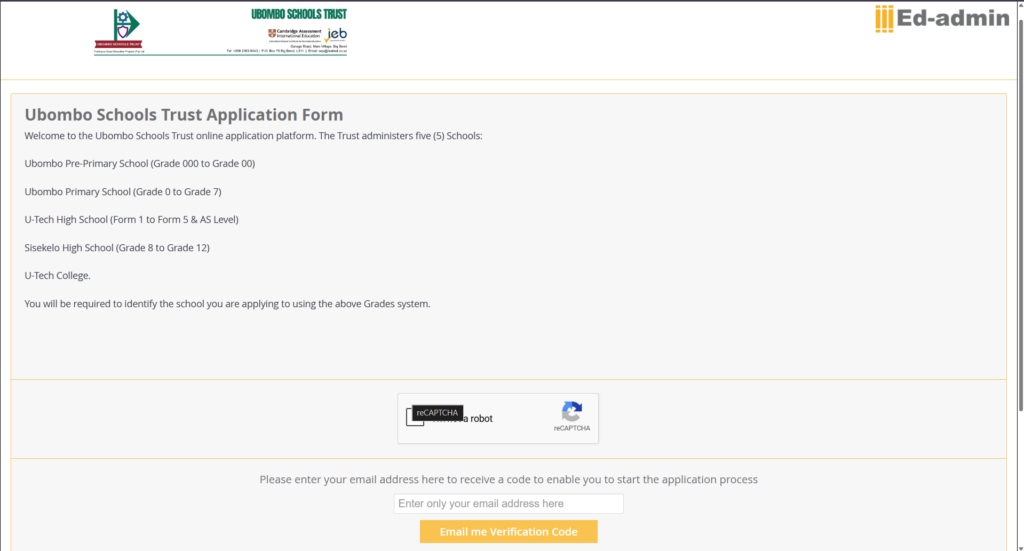
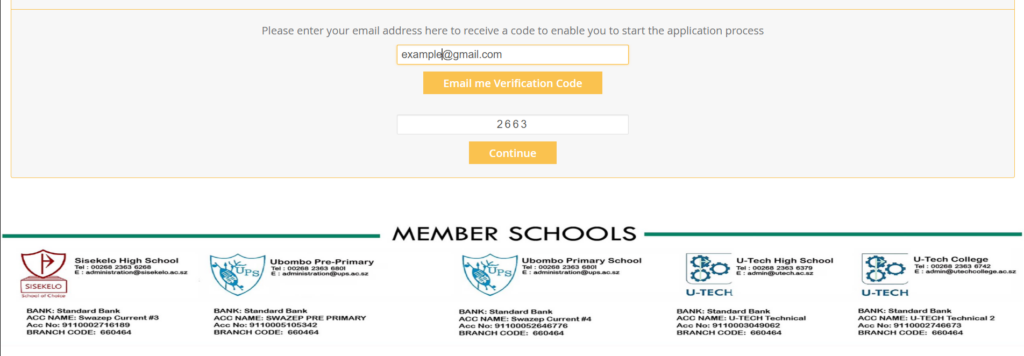
Landing Page - Complete the reCAPTCHA, Enter you e-mail Address registered with the School. Then click Email me Verification Code.
Enter verification code that was Emailed to the email address you entered in the first step.
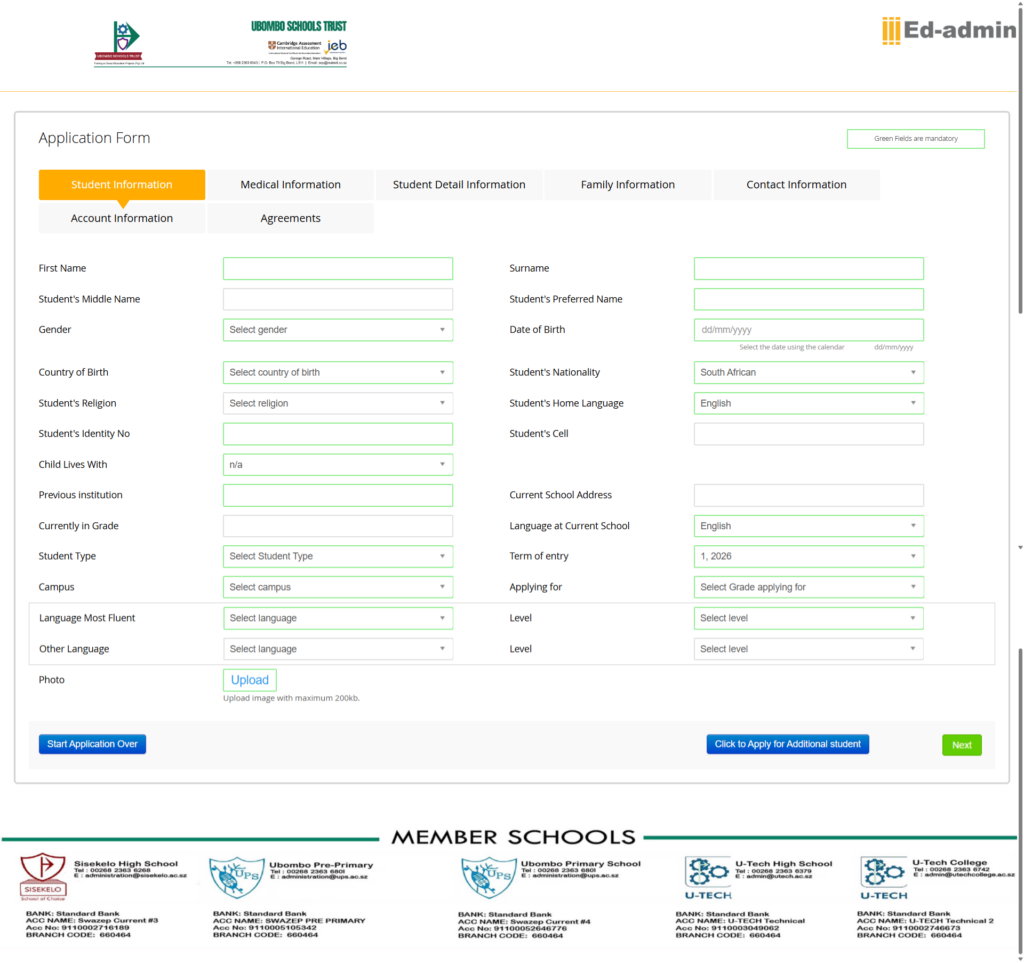
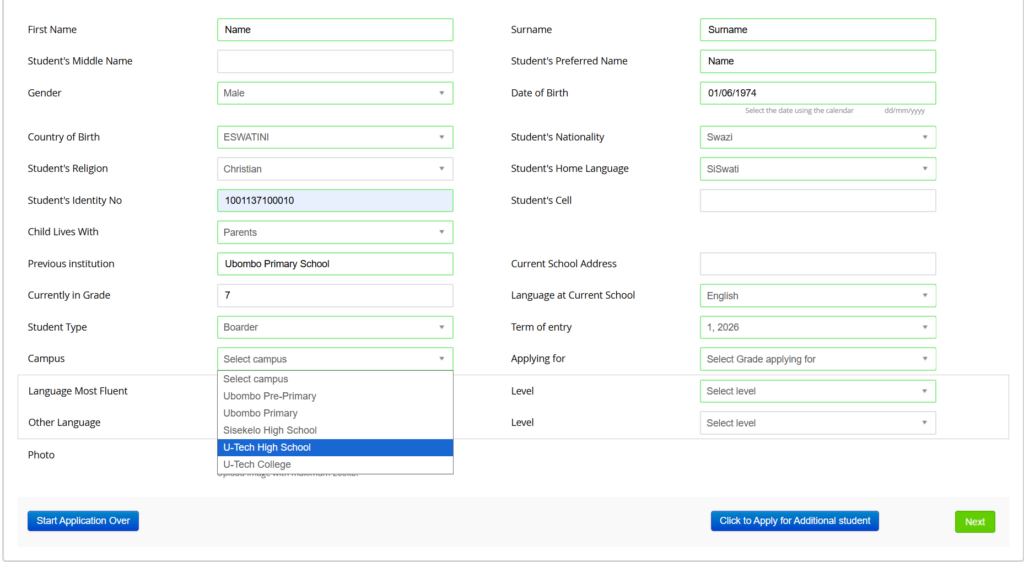
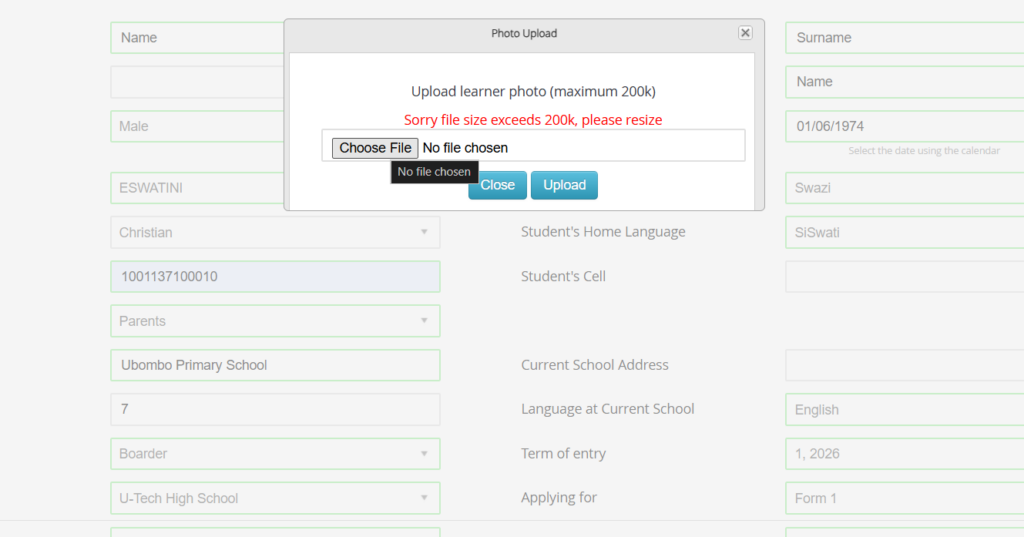
Student Information - Fill in all Fields with a Green Boarder, and Fields without Green Boarder are optional
Make sure to select U-Tech High School under Campus
Upload a potrait image of the student with a file size not more than 200kb.
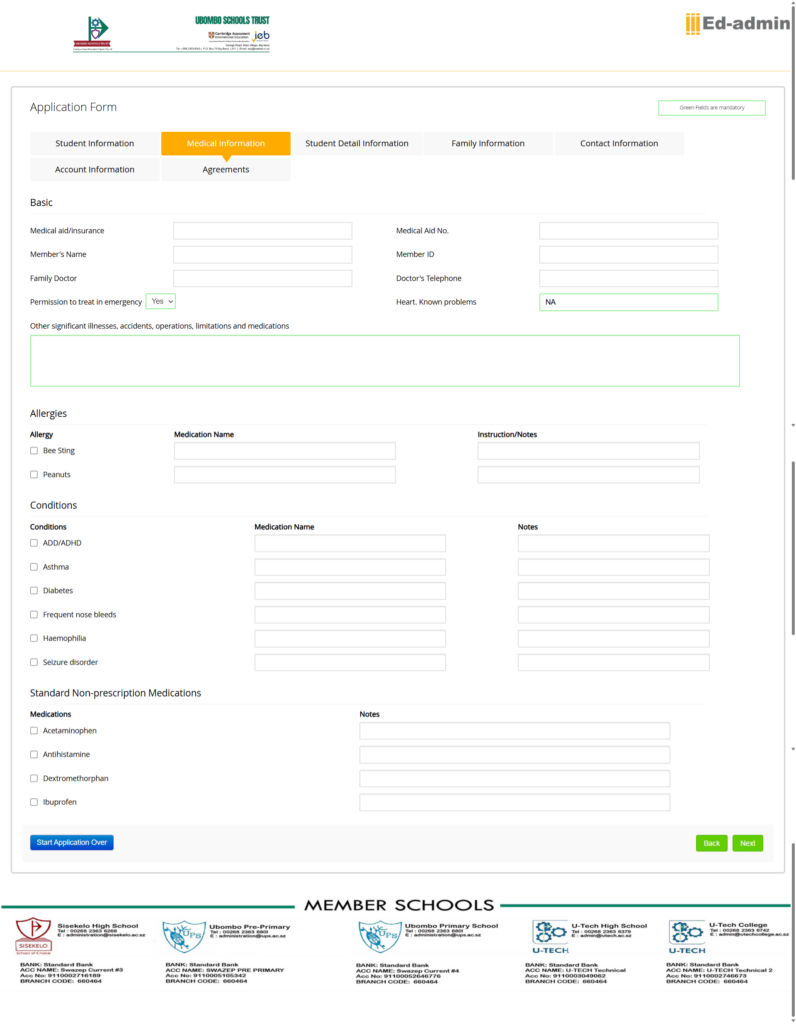
Medical Information - Please fill in all mediacal information of the applicant.
After completing, Click next to move to the following page which is Family Information. (Please Ignore Student Detail Information)
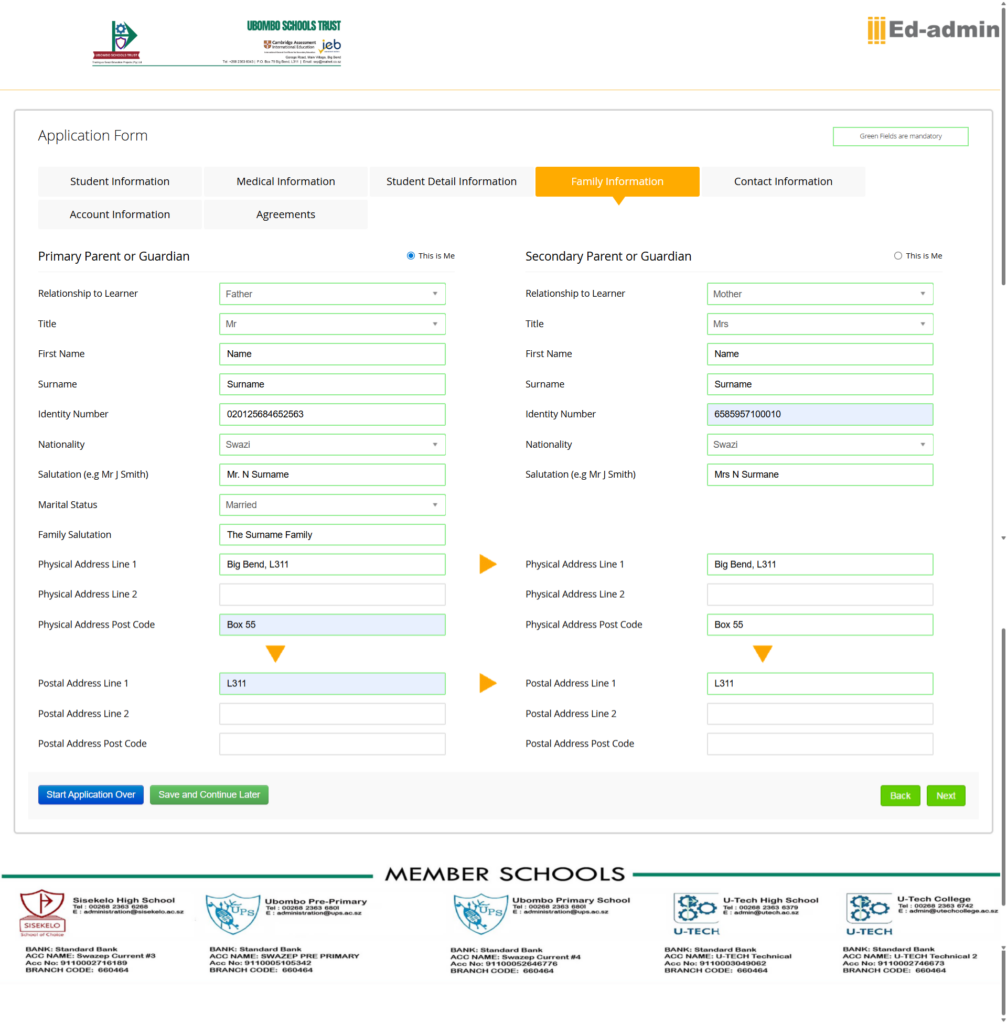
Family Information - Please fill in all Family information.
After completing, Click next to move to the following page which is Contact Information.
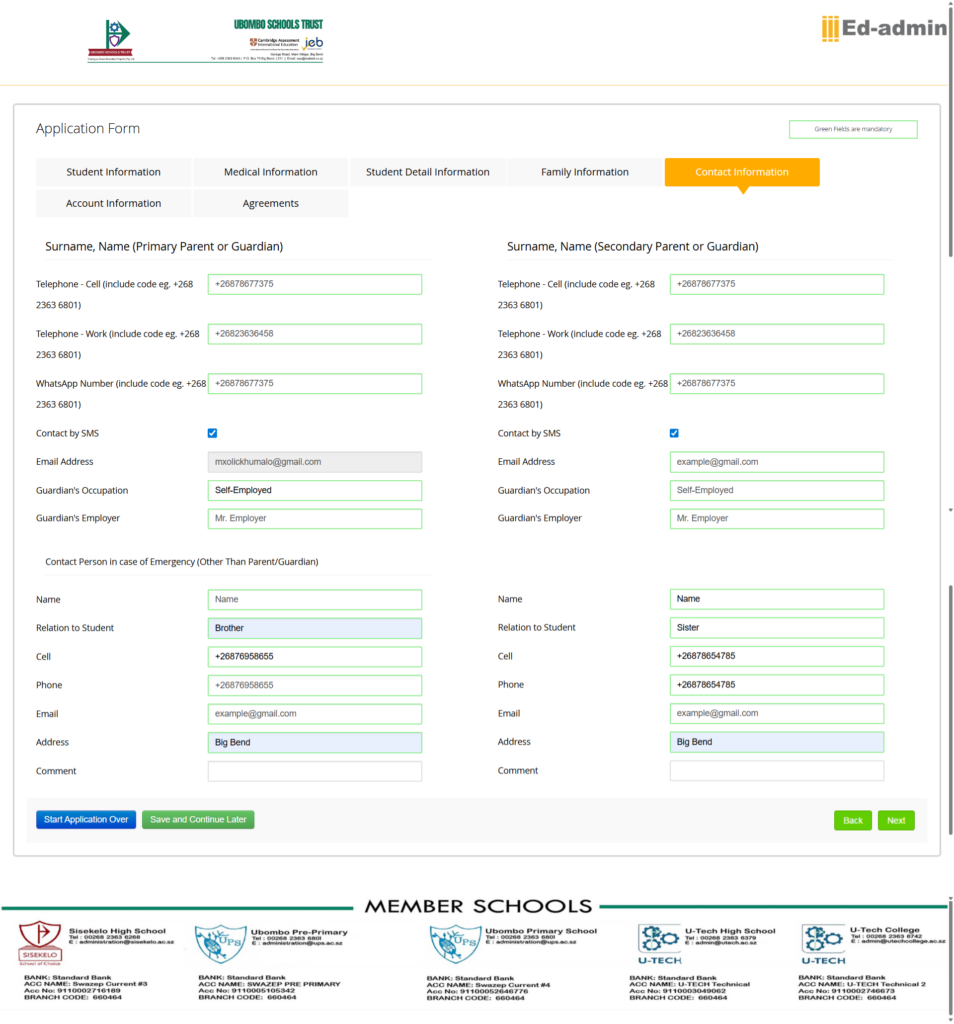
Contact Information - Please fill in all Contact Information.
After completing, Click next to move to the following page which is Account Information.
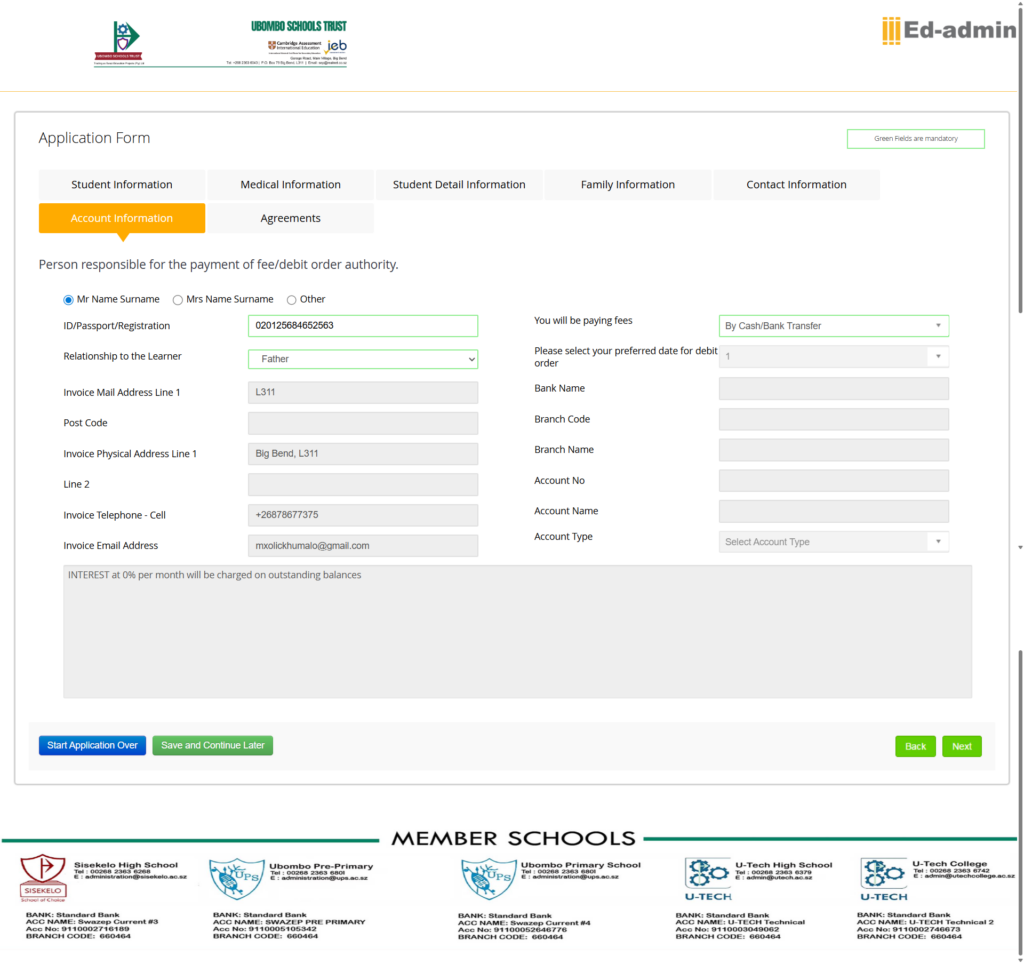
Account Information - Please Select the person who will be responsible for the payments of fees, And choose the payment Method you will be using.
After completing, Click next to move to the following page which is the Agreements.
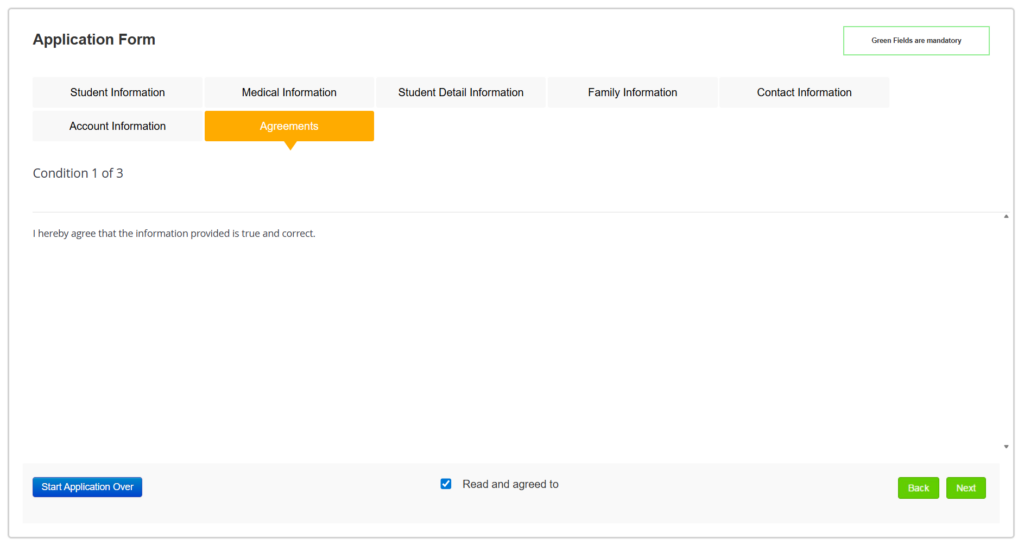
Agreements - Please Tick the check box to cornfirm that you have read and Agree with the condition. Click next to see the second and third condition.
After completing, Click Next to Move to the Attachments Page.
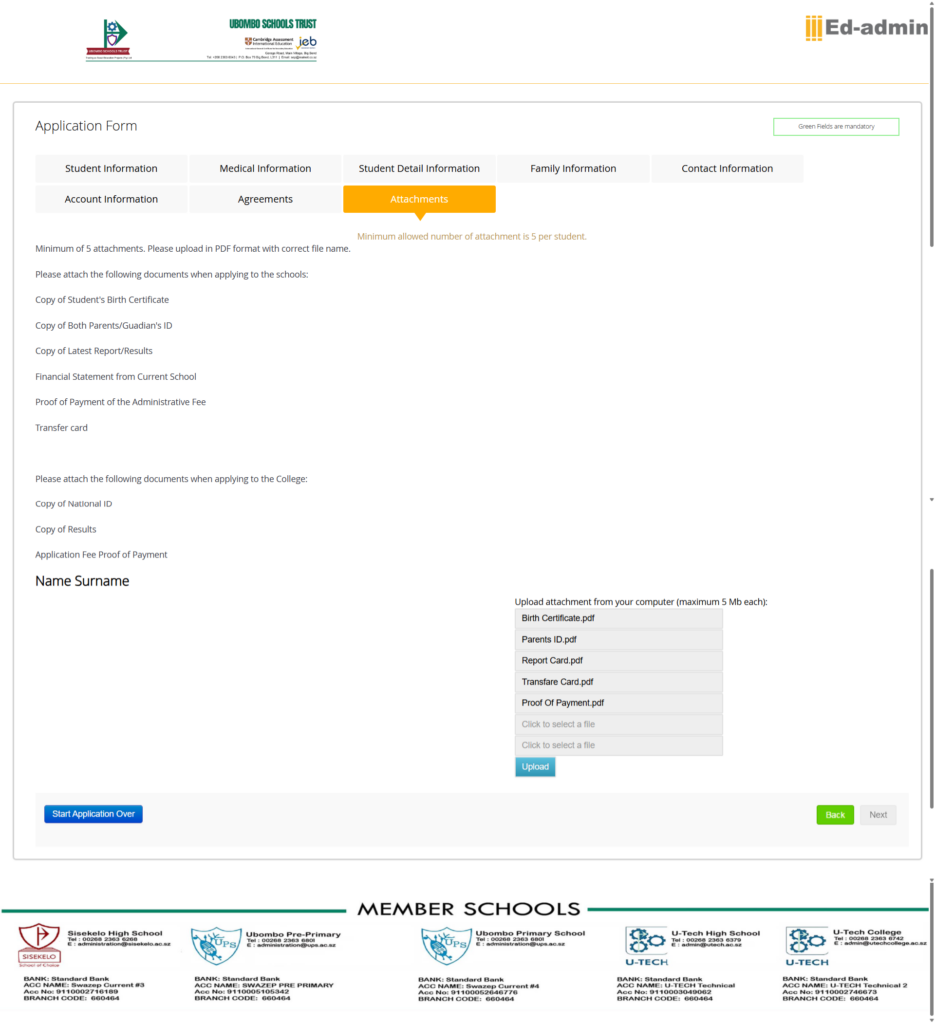
Attachments - Please Attach All required Documents with a Maximum file size of 5MBs each.
After Uploading, Click Upload and Click Next to Move to the Attachments Page.
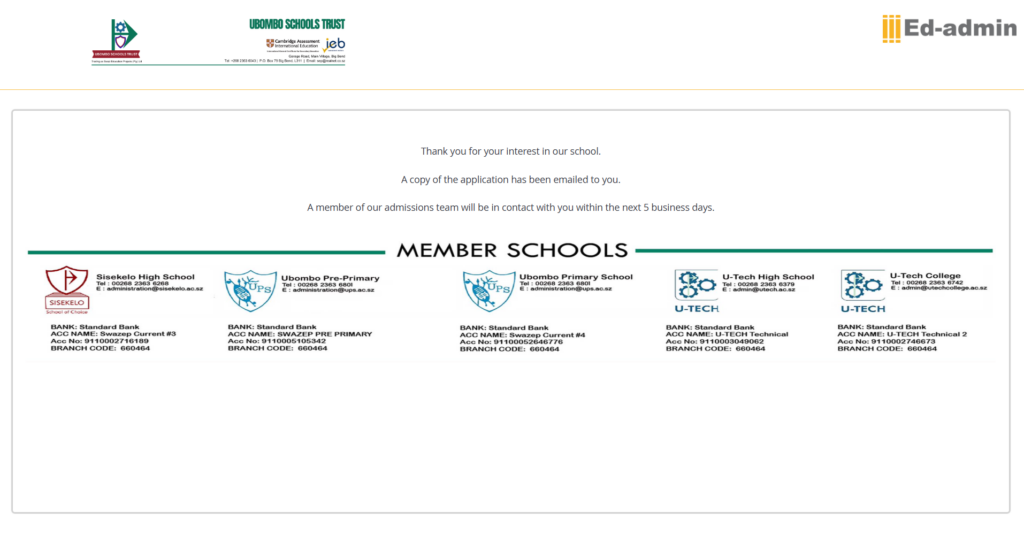
This is the Final Page showing that the Application has been completed Successfuly.
 Call us: (+268) 2363 6739